ClockMonk Installation steps for Mac
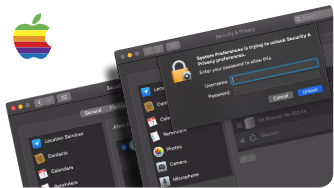
Downloading Build for Mac OS : Step-1 : Download the Mac build from https://clockmonk.com/ Steps to be followed in order to run client application : Step-1 : Select System Preferences –> Security & Privacy –> Accessibility Step-2 : Unlock for further changes –> Enable ClockMonk checkbox –> Close the dialogue box Step-3 : Now double click on the file to […]
ClockMonk Installation steps for Linux
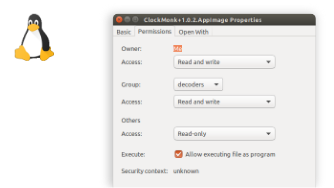
Downloading Build for Linux OS : Step-1 : Download the Linux build from https://clockmonk.com/ Steps to be followed in order to run client application : Step-1 : Find the downloaded file, which usually ends up in your Downloads folder. Step-2 : Right click on ClockMonk AppImage –> Properties –> Permission tab –> Check “Allow executing the file as program” Step-3 : Now […]
ClockMonk Installation steps for Windows
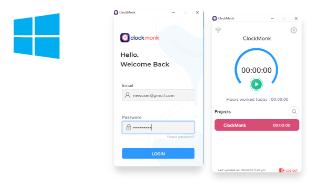
Downloading Build for Windows OS : Step-1 : Download the Windows build from https://clockmonk.com/ Step-2 : In order to run ClockMonk app you need to Install Visual Studio Community. Click here to download Steps to be followed after installing Visual Studio Community: Step-1 : Double click on downloaded Visual Studio Community file Step-2: Visual Studio Installer — > Continue Step-3 : Select […]
ClockMonk Introduction
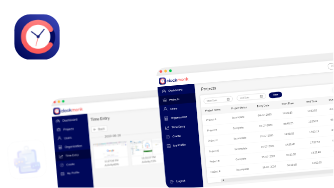
ClockMonk is an free time tracking software that notes and analyzes productivity at work. It is a tool that has been chosen by the startups and large enterprises that employ hundreds of people. ClockMonk helps office workers to manage their day, saves time, boosts work efficiency and motivate them to work at 100% of their […]